Installing BepInEx 
BepInEx is a mod loader. It is responsible for loading your mods into the game.
You will need to download the IL2CPP Windows version of BepInEx. The specific version of BepInEx you need to download depends on what version of Among Us you are using.
Step 1
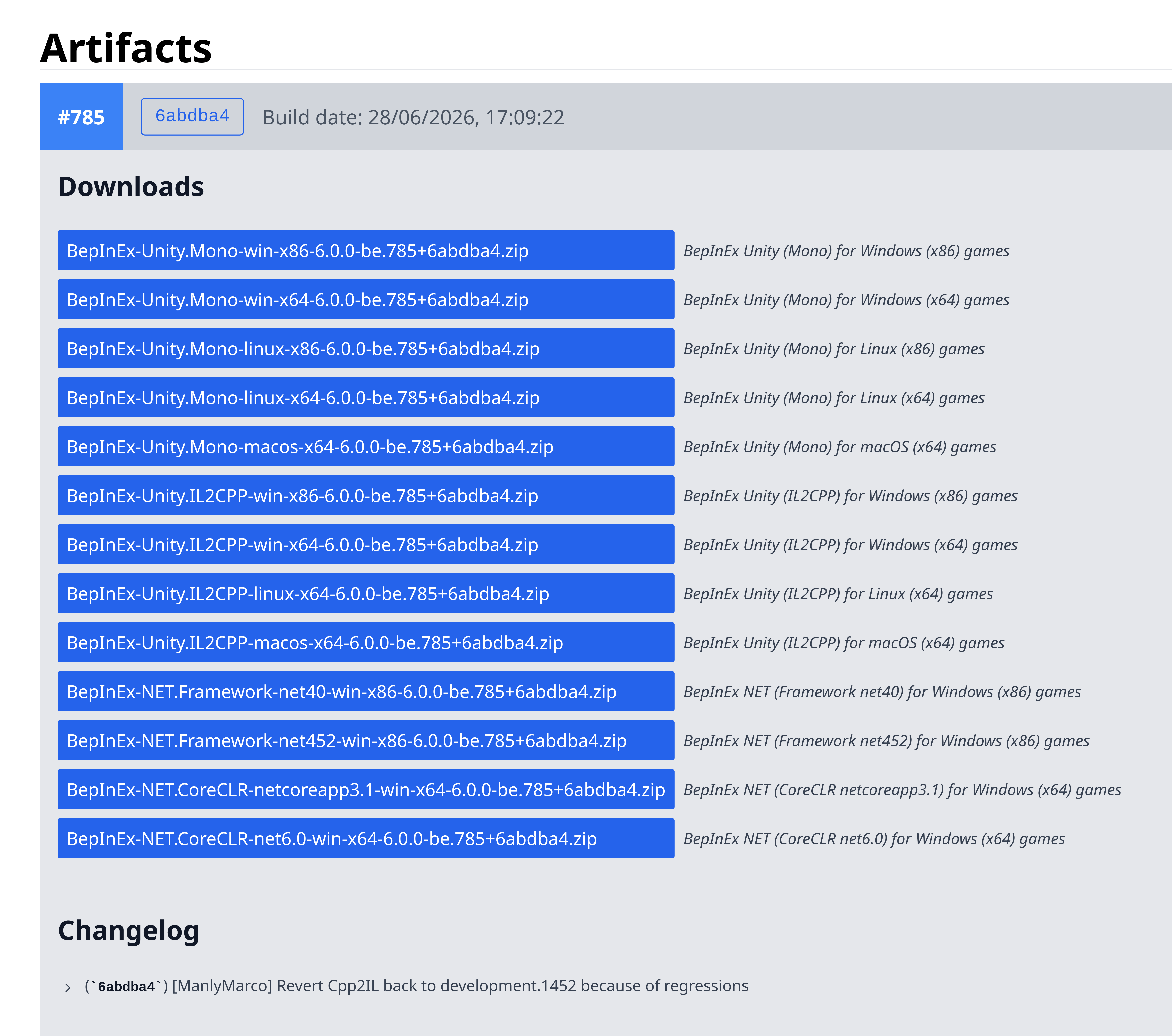
Open https://builds.bepinex.dev/projects/bepinex_be, scroll down and click on the top artifact to open it. It should look like the image below:
Step 2
If you're using the Steam or itch.io version of Among Us, you need to download the 32-bit (x86) version of BepInEx.
That would be the download link starting with BepInEx-Unity.IL2CPP-win-x86.
If you're using the Epic Games or Microsoft Store version of Among Us, you need to download the 64-bit (x64) version of BepInEx.
That would be the download link starting with BepInEx-Unity.IL2CPP-win-x64.
In case you can't tell the difference, the above links differ by the x86 or x64 in their name.
Step 3
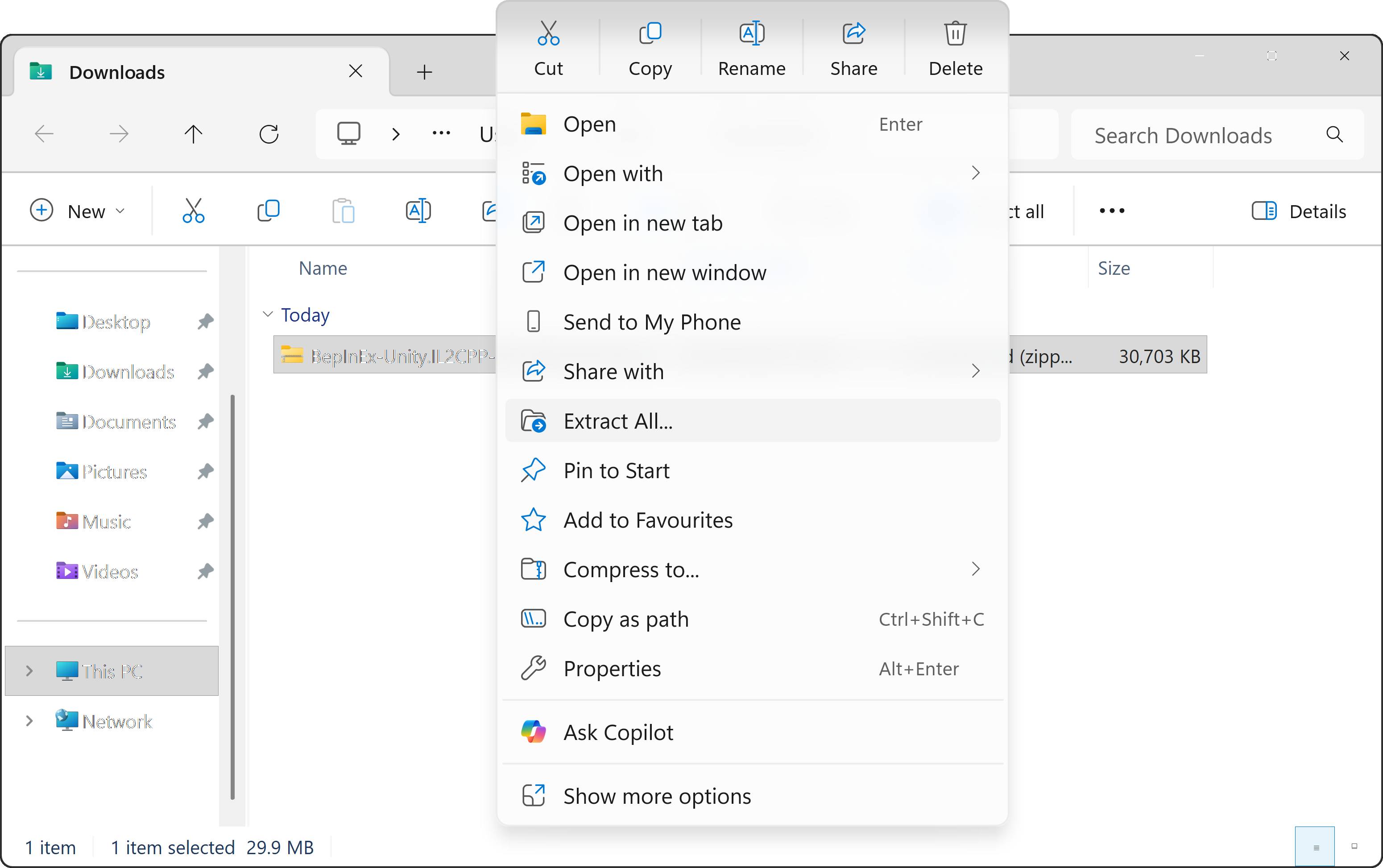
Once you've downloaded the ZIP file, locate it and extract/unzip it like illustrated below:
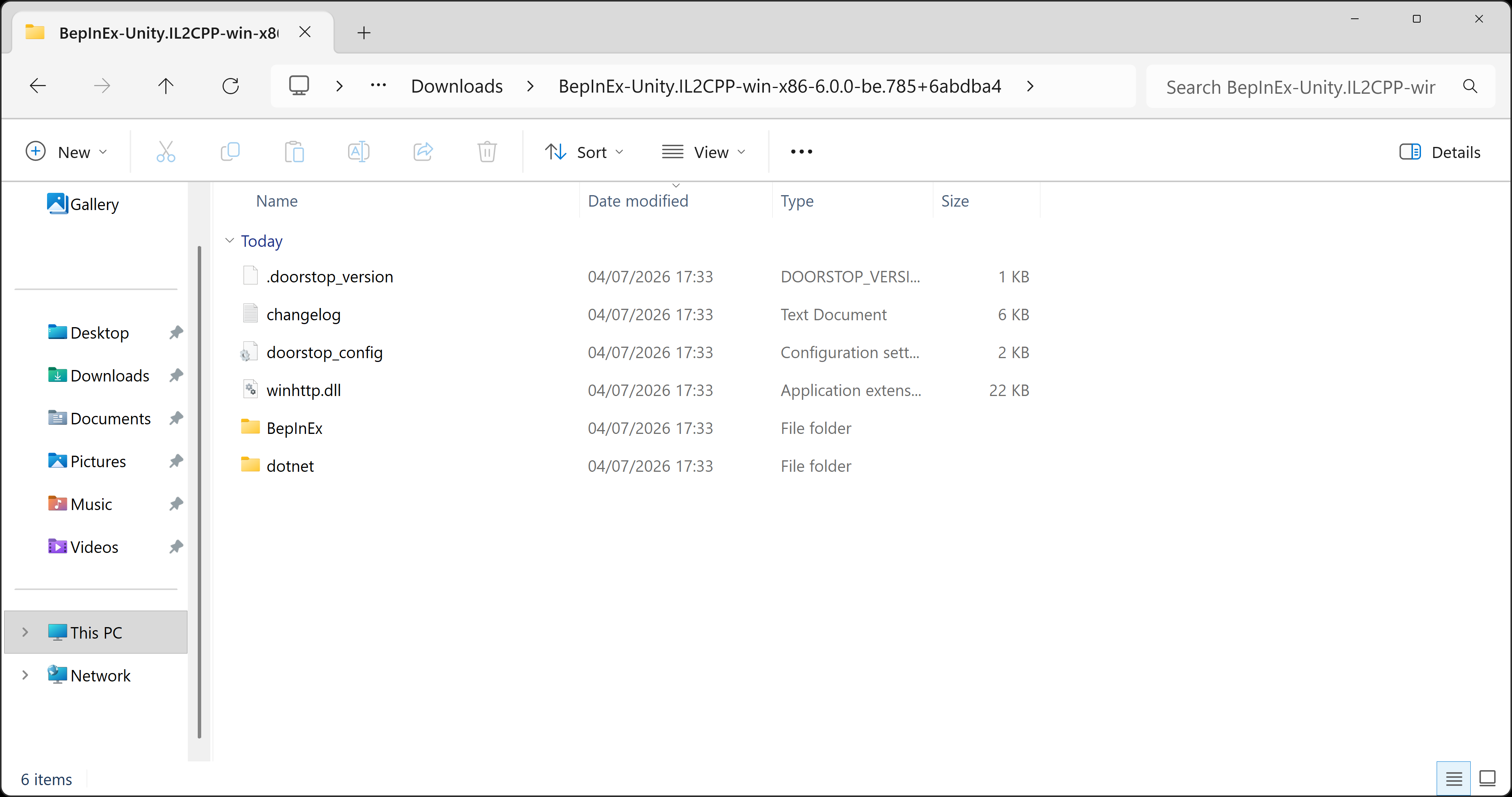
You should end up with a folder that looks like the image below:
Step 4
You should now have both the unzipped BepInEx folder and your game folder open like below:
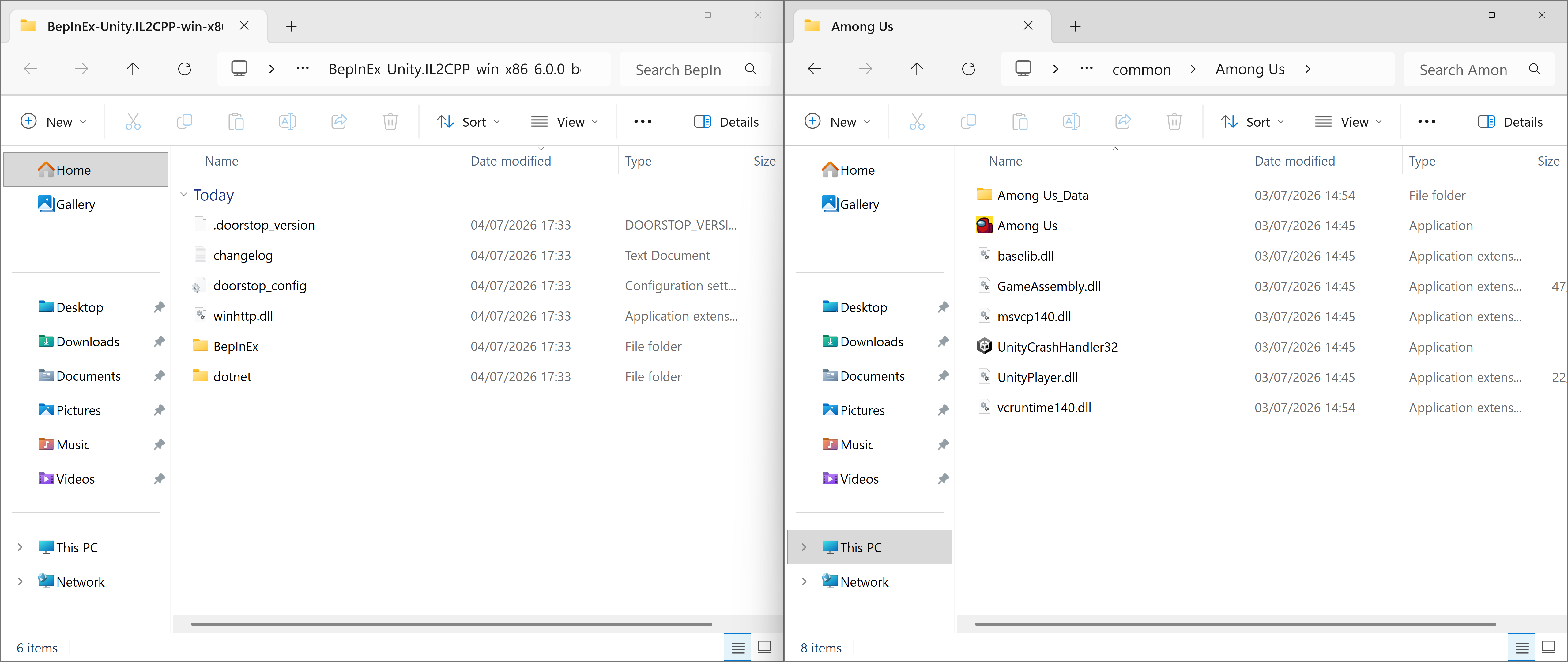
You need to copy all the files from the BepInEx folder on the left into your game folder on the right, so that you game folder looks like this:
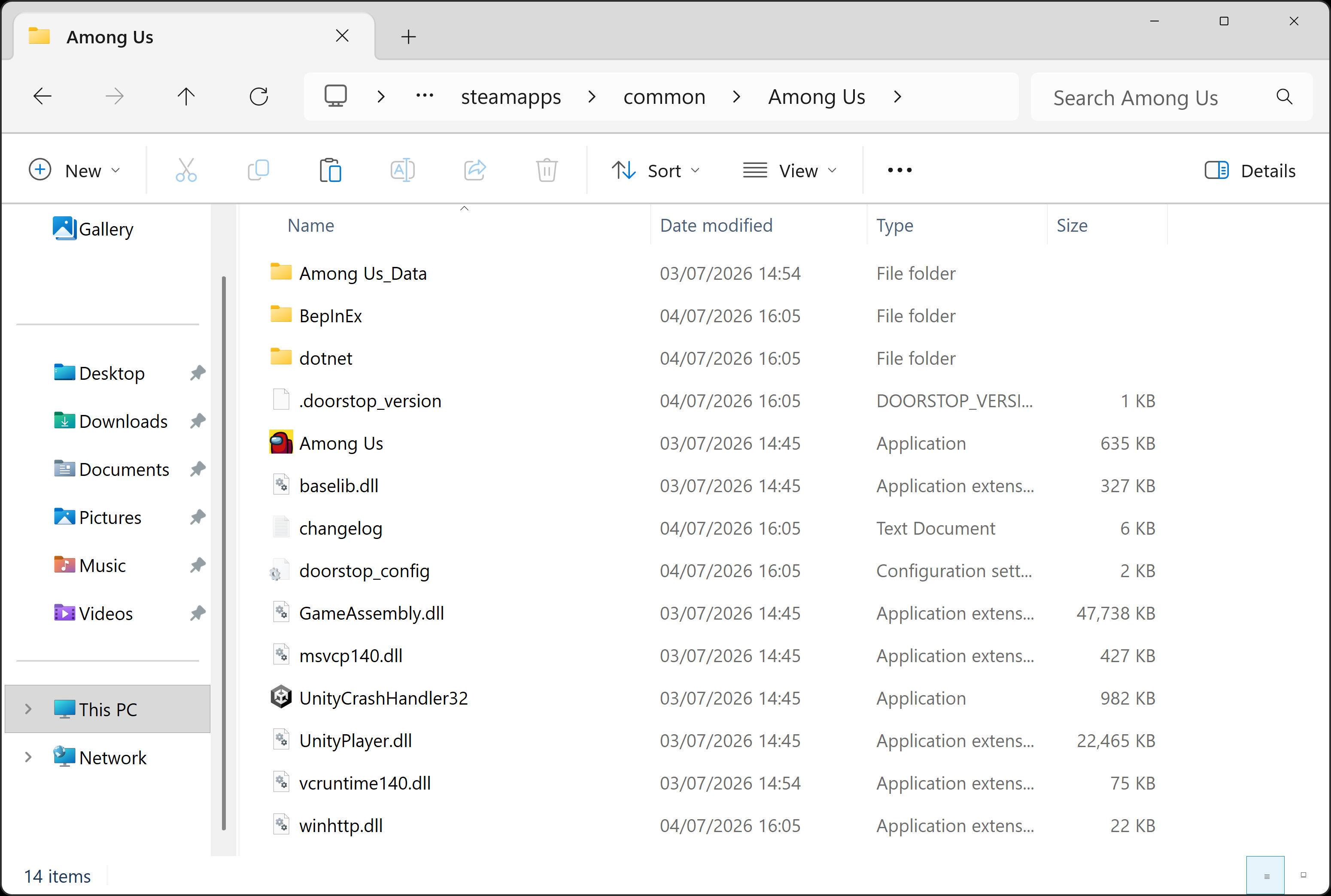
The BepInEx folder inside of your game folder illustrated above is going to be useful later on so take note that this is where it is.